 Orbiont
A goal tracker that connects your to-dos and habits
Goals in one app, tasks in another and habits in a third means you never see whether your daily work moves the big thing. A connected tracker links them, so a finished to-do or a kept habit counts toward the goal it belongs to.
- Separate goal, to-do and habit apps hide whether your days add up.
- Linking each task and habit to a goal turns activity into visible progress.
- Automatic links save effort, but you should be able to see and change every link.
- Keep it simple: link only what really belongs to the goal.
See your goals connected
Add a goal, link a few to-dos and habits, and watch the Connections map fill in.
The problem with separate lists
A goal tracker shows the goal. A to-do app shows tasks. A habit tracker shows streaks. None of them tell you whether the tasks and streaks are actually moving the goal. You end up busy without knowing if it matters.
What "connected" means
Connected means every to-do, habit, idea, note or focus session can be linked to the goal it serves. Then you can answer simple questions:
- Which goal does this task belong to?
- How many of this goal's tasks are done?
- Which goals have gone quiet?
- What are my unconnected tasks doing in my list?
How Orbiont connects things
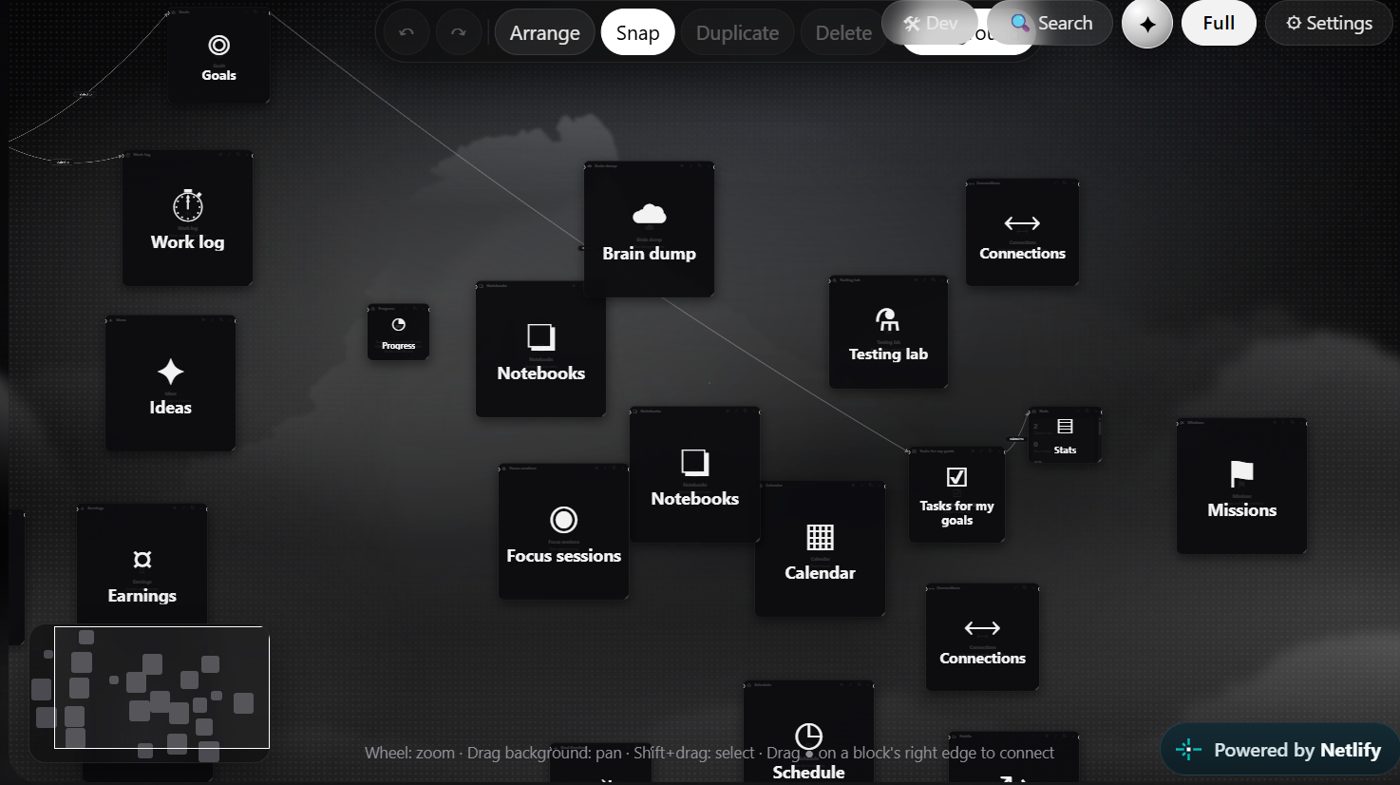
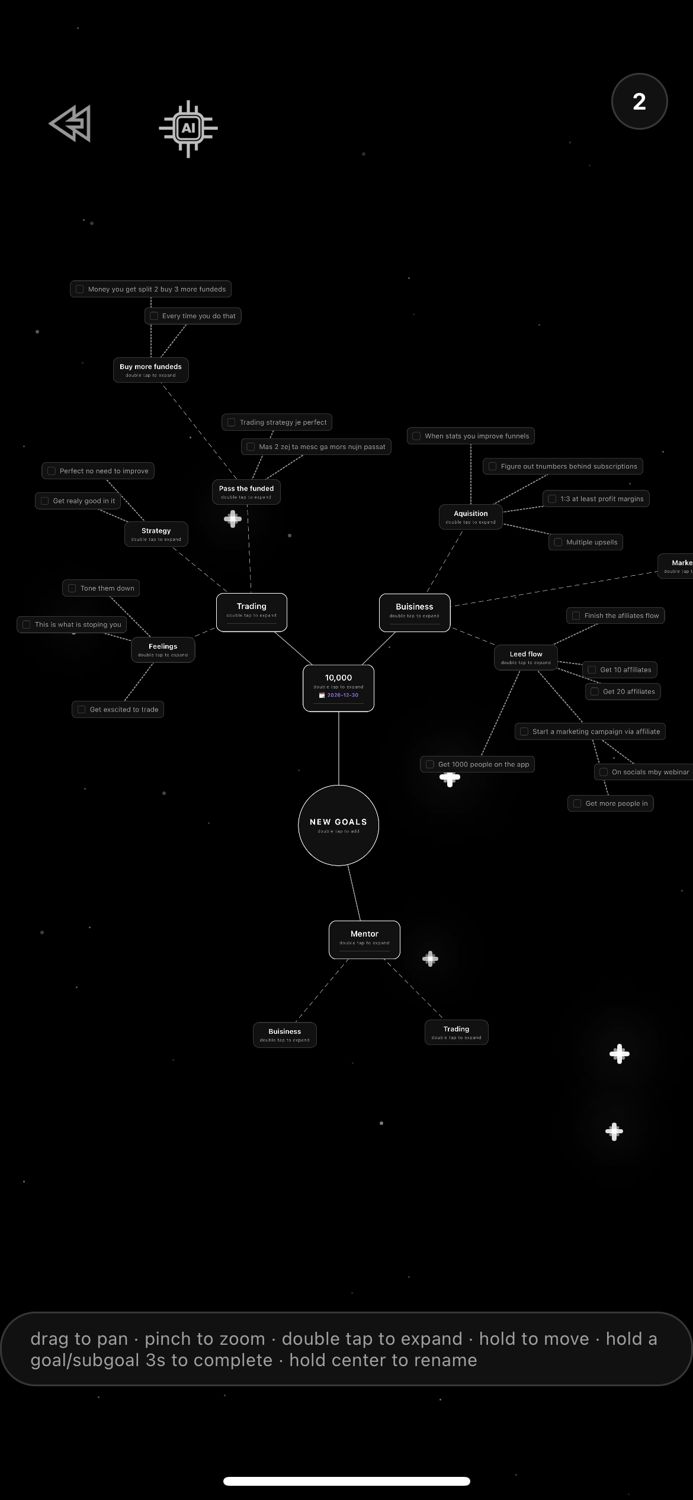
Orbiont has a Connections page on the phone and a Connections block in Studio on the web. Each goal shows what is linked to it, how strong the link is, and how much of its to-dos are finished.
- Links are made for you. When a to-do or habit clearly belongs to a goal, Orbiont links it. When it is less clear, it suggests the link and waits for your yes or no.
- Links get stronger with use. Finishing linked work strengthens the link, and links you stop using slowly fade. Nothing is deleted when a link fades.
- You stay in control. You can pin, mute, remove or add links by hand, and undo what the app did on its own from the Activity list.
- A map view. On the web you can drag one item onto another to link them and see the whole network at a glance.
What stays private
Health and journal data are never connected. On the web, only the categories you choose to share appear in Studio, and each category is a separate switch in Settings.
How to set it up in ten minutes
- Add one or two goals. Ask ORBIT to build them for you if you like.
- Link the to-dos that serve each goal, or let Orbiont suggest them.
- Add the habits that feed the goal, such as a daily run or 20 minutes of study.
- Open Connections once a week and look at which goals are quiet.
For the planning side see how to break a big goal into small steps.
When this is not for you
If you only need a plain checklist or a pure habit streak, a simple app is enough. Connections are for people who have several goals and want to see whether their days support them.
Questions people ask
Do I have to link everything by hand?
No. Orbiont links clear matches automatically and suggests the uncertain ones. You can always change links yourself.
Can I undo automatic links?
Yes. The Activity list shows what the app did and lets you undo it.
What happens to old links?
Links you stop using slowly fade. Pinned links never fade, and nothing is deleted.
Is my health data connected?
No. Health and journal data are never connected.
Does it work on the web and on the phone?
Yes. Connections is on the phone, and Studio on the web has an Overview, a Map and more.
Is it free?
You can start free. Some limits depend on your plan.
Connect your goals, to-dos and habits
See which of your days actually move your goals. Free to start.
Studio and the phone app are connected: one account, and your goals and habits sync between them.