 Orbiont
AI goal planner: from a goal to your next step
Most AI goal planners give you a nice-looking list and then leave you alone with it. A good one builds the plan, puts the first steps on your day, and keeps showing you what to do next. Here is what to look for, and how ORBIT in Orbiont does it.
- A useful AI goal planner turns a goal into steps, dates and to-dos, not just advice.
- The plan has to live where you work every day, or it gets forgotten.
- Give the AI a specific goal and a deadline. Vague goals get vague plans.
- Check the plan yourself. The AI drafts, you decide.
Try it on one goal
Tell ORBIT what you want and get a plan and your next step. Start with a one-tap goal pack like Get fit in 12 weeks or Launch a side project.
What an AI goal planner should actually do
Typing a goal into a chat and getting five bullet points is easy. Doing something with those bullets is where plans usually die. A planner is only useful if it does these four things.
- Asks for a real deadline. A goal with a date can be split backwards into weekly and daily pieces.
- Breaks the goal into steps you can finish. Each step should fit into a day or a few days.
- Puts the first steps on your list. If nothing lands in your to-dos, nothing happens.
- Tells you what to do next. One clear step beats a long plan you have to reread.
How ORBIT turns a goal into a plan
ORBIT is the AI assistant inside Orbiont. You tell it your goal in your own words, and it builds the plan inside your app instead of just replying in a chat window.
- You say the goal. For example: "I want to run a 10k by December."
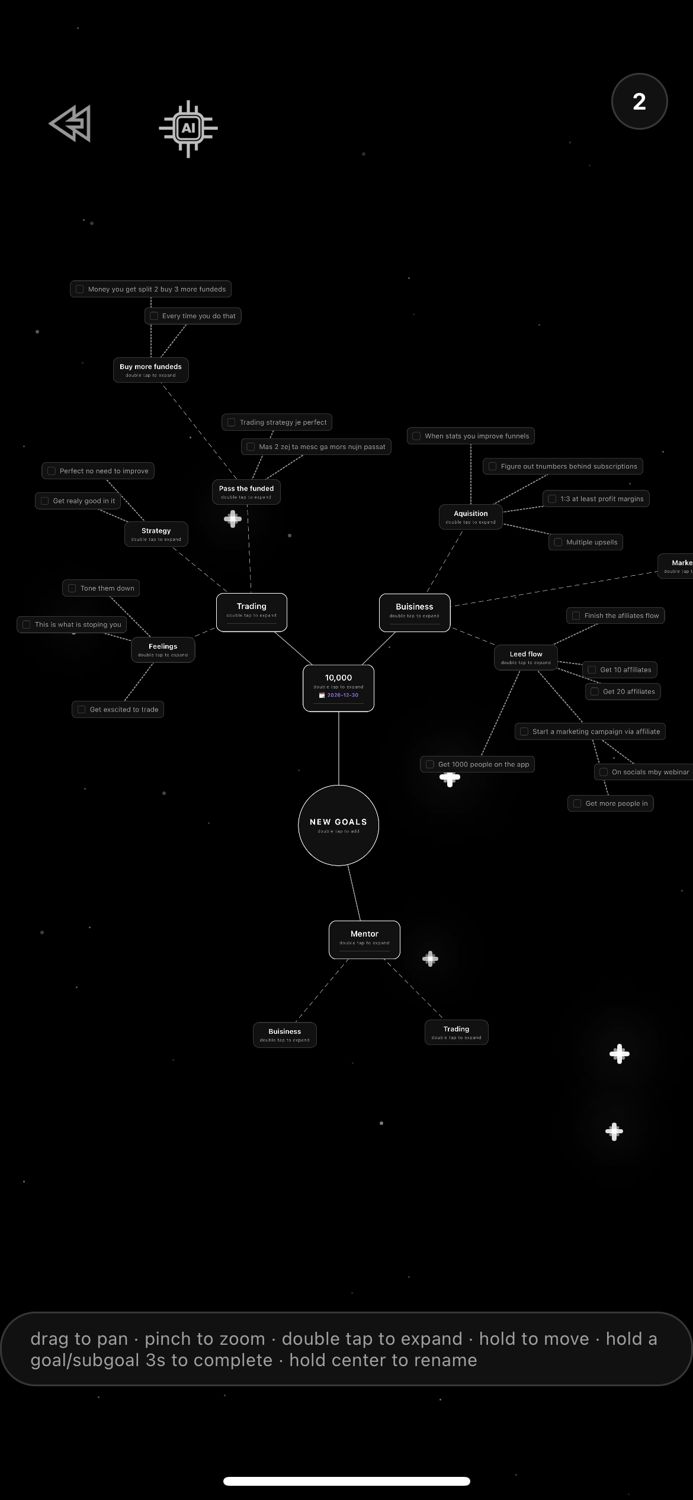
- ORBIT builds the map. The goal becomes a goal on your goal map, split into smaller goals and steps, with dates.
- The first steps become to-dos. They appear on your Today list, so you can start straight away.
- You adjust it. Rename, move or delete anything. ORBIT asks before it removes things.
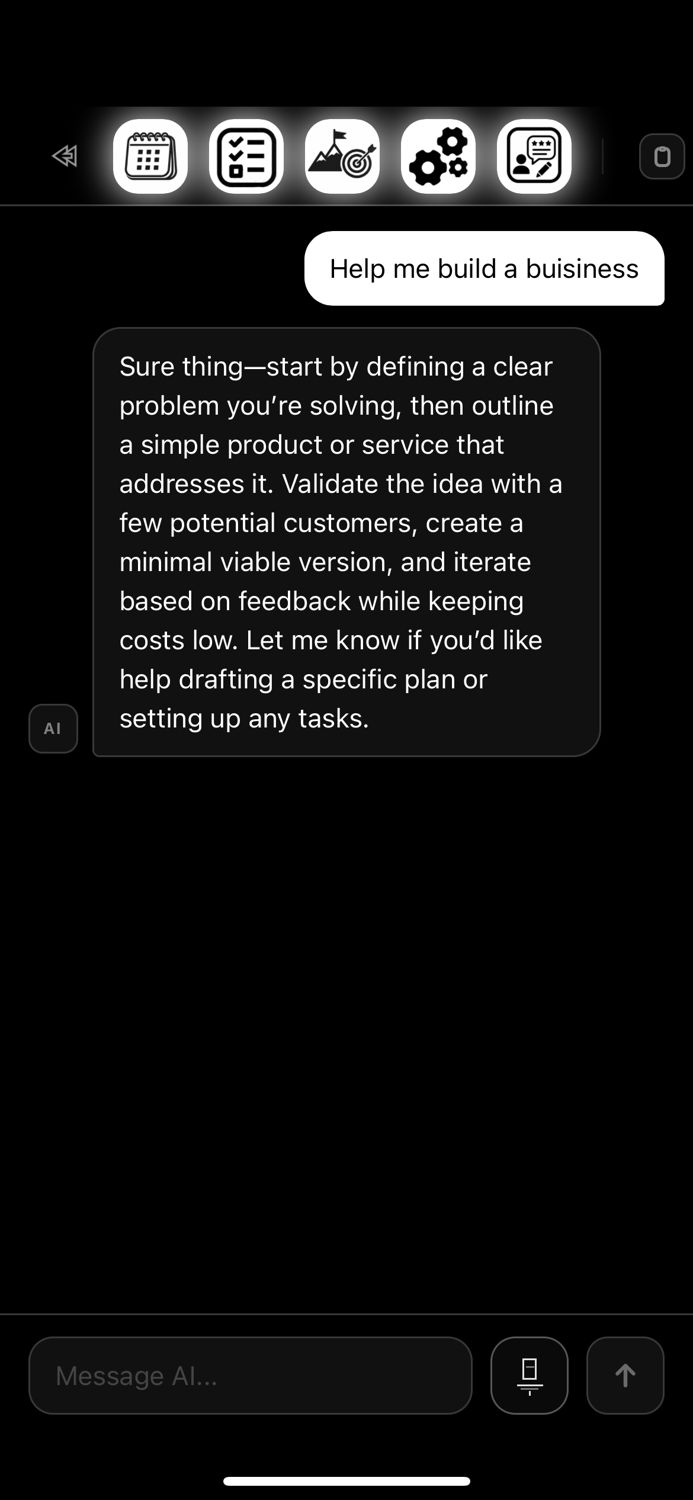
If you do not want to type anything, start from a goal pack: Get fit in 12 weeks, Launch a side project, Learn a new skill, Save more money, Build a morning routine or Study for an exam. One tap sends the request for you.
Give the AI a better goal
The plan can only be as good as the goal. Compare these two.
| Vague | Specific |
|---|---|
| Get fit | Run 5 km without stopping by 31 January, training 3 times a week |
| Save money | Save 600 by the end of March by moving 50 every week |
| Learn a skill | Finish a small project in a new language in 30 days, 20 minutes a day |
If you only have the vague version, say it anyway. ORBIT can ask for the missing piece, and you can answer in one line.
Where the plan should live
A plan in a chat history is almost invisible a week later. The planner you choose should put the result where you already look: a to-do list, a calendar and a place to see progress.
In Orbiont the plan is a goal map for the big picture, to-dos and a schedule for the day, and habits for the things you repeat. Studio on the web shows the same data, so you can plan on a big screen and tick things off on your phone. See how to break a big goal into small steps for the method behind it.
What an AI planner cannot do
An AI plan is a draft. It does not know your energy, your week or what you are willing to give up. It can also be too ambitious, so read it and cut it down.
It also cannot do the work for you. The part that matters is the small step you take today. That is why Orbiont keeps showing you the next one.
Free or paid?
You can start free. The free plan has limits on how much you can create, and the AI assistant has a daily limit that depends on your plan. Check the current limits inside the app before you build a big plan, because they can change.
Questions people ask
What is an AI goal planner?
It is a tool that uses AI to turn a goal into a plan: steps, dates and tasks. The best ones also place those tasks in your to-do list and show you what to do next.
Is ORBIT free?
You can start free. The free plan and the daily AI limits depend on your plan, and the current limits are shown in the app.
Can I use it on my computer?
Yes. Orbiont Studio is the web version and shares the same account as the phone app.
Will the AI delete my things?
ORBIT asks before it deletes anything.
What goal should I start with?
Pick one goal with a date. If you are unsure, tap a goal pack and edit the plan it builds.
Does it replace thinking for myself?
No. It drafts the plan quickly. You still decide what is realistic and do the steps.
Tell ORBIT your goal
Get a plan and your next step, every day. Free to start.
Studio and the phone app are connected: one account, and your goals and habits sync between them.